Notifications, News, Settings
Pinned
Overview
There are a few areas which we will group together in this post which are fairly simple and straightforward:
- Notifications
- News
- Settings
Notifications
The notifications area will have any notifications that have been generated by Tradovate's servers. These will include liquidation and margin warnings, details about your memberships, requests for documents for account openings or contact information changes. You will see a counter of unread messages next to the notifications menu item. Inside the notifications panel you will see all your notifications with the option to "Dismiss" by tapping, or "Dismiss All"

News
Accessing the News menu area will initially display headlines fed to the platform from various sources which are related to the futures and commodities markets

Tap for more will display the headlines with some additional summary text about the article
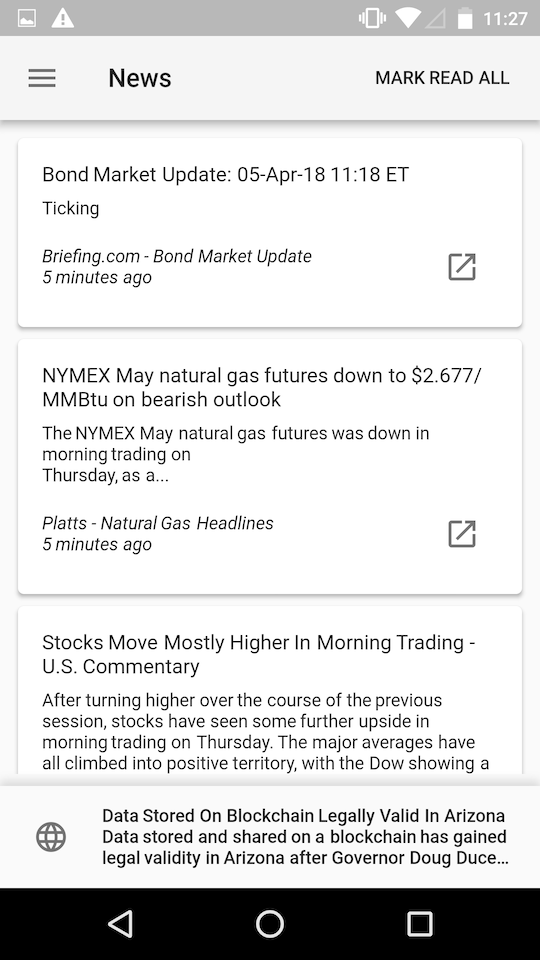
Tapping the link to the article will open the full article up in a separate browser window

Settings
The settings area will allow you to manage some application settings including:
- Vibrate on trade actions
- Turn Off/On the news feed from displaying on the bottom of the app in the assistant area
- Fingerprint authentication
- Two-factor authentication

Please sign in to leave a comment.
Comments
0 comments