This module is designed to give you a clean easy view of all the exchange listed spreads for a Product>Spread combination and easily place trades for those products if desired.
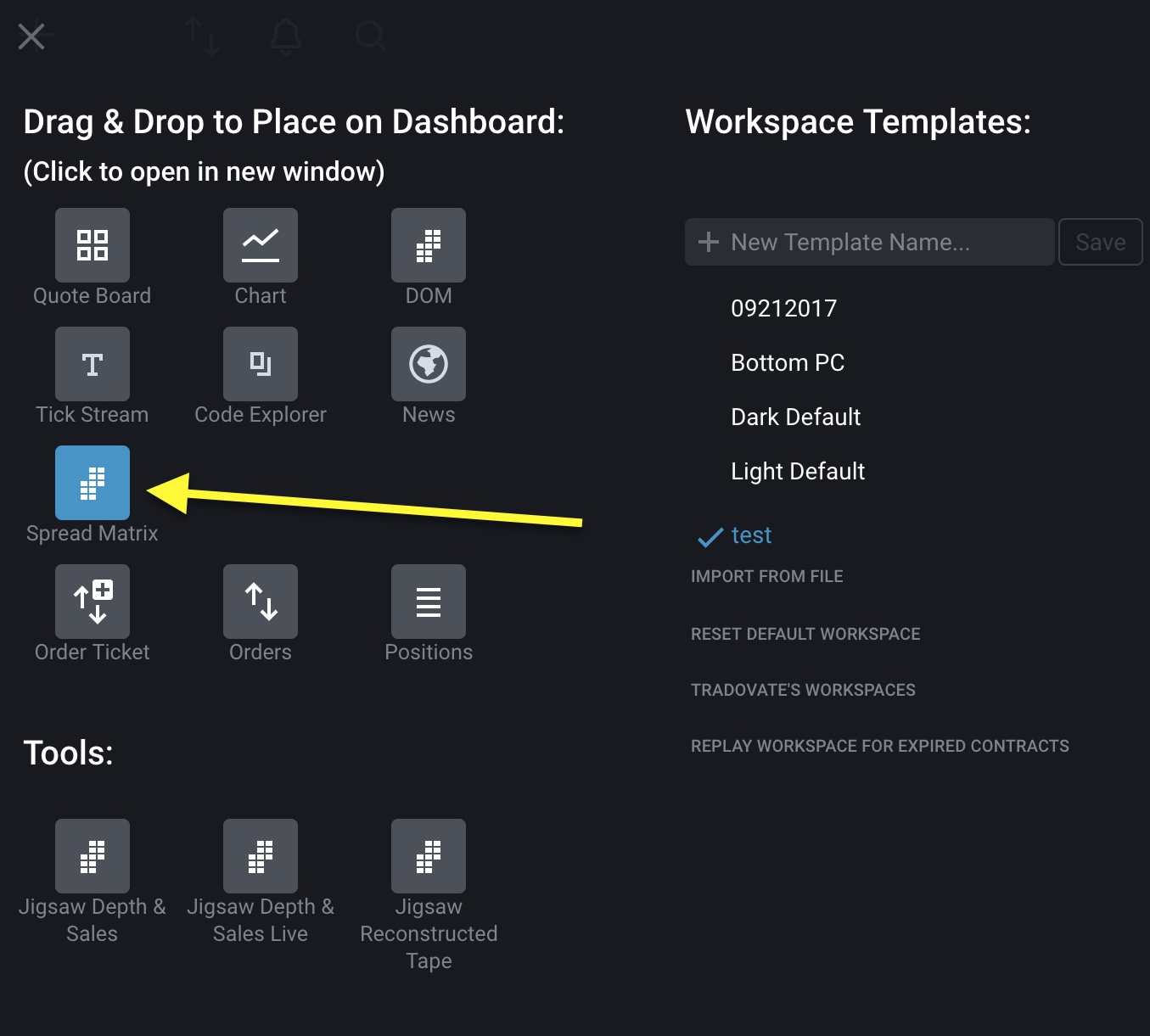
The Spread Matrix module can be found under the Workspace Manager. Like the other available modules, it can be added to a workspace or popped out into a separate window (on the desktop version)
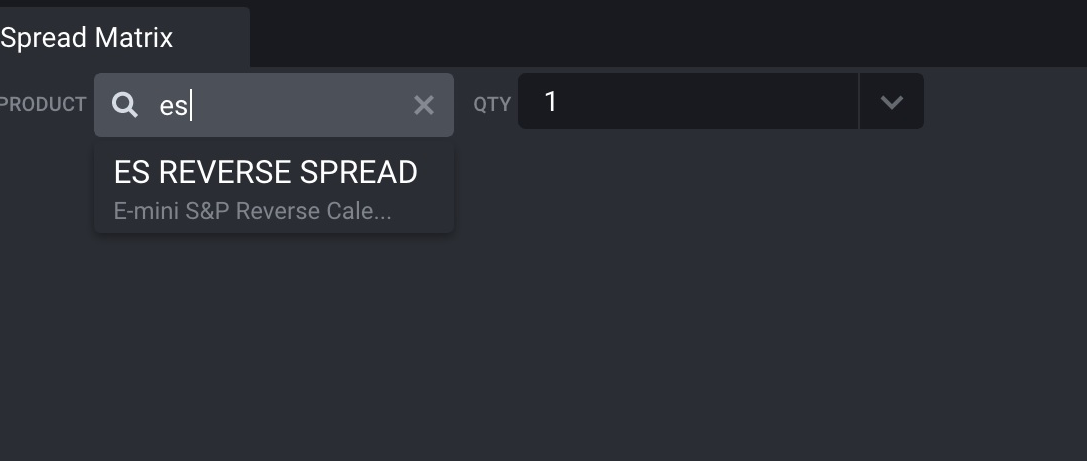
Once you have opened a Spread Matrix, you can search for a Product's spread to populate the grid. Typing in "ES" for example shows a suggestion of the E-Mini SP Reverse Calendar Spread
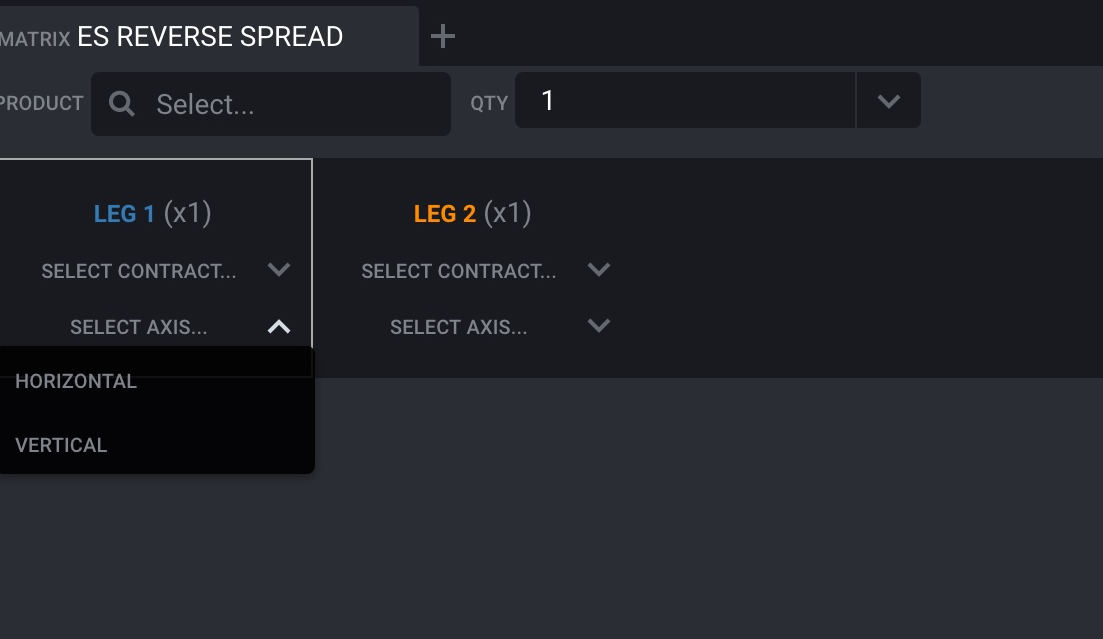
Selecting that spread will populate the top line of the grid with the number of legs and some display options that need to be configured in order to display the contracts for viewing
If you are looking for a spread with a specific contract expiration, you can select it from the "Select Contract" dropdown

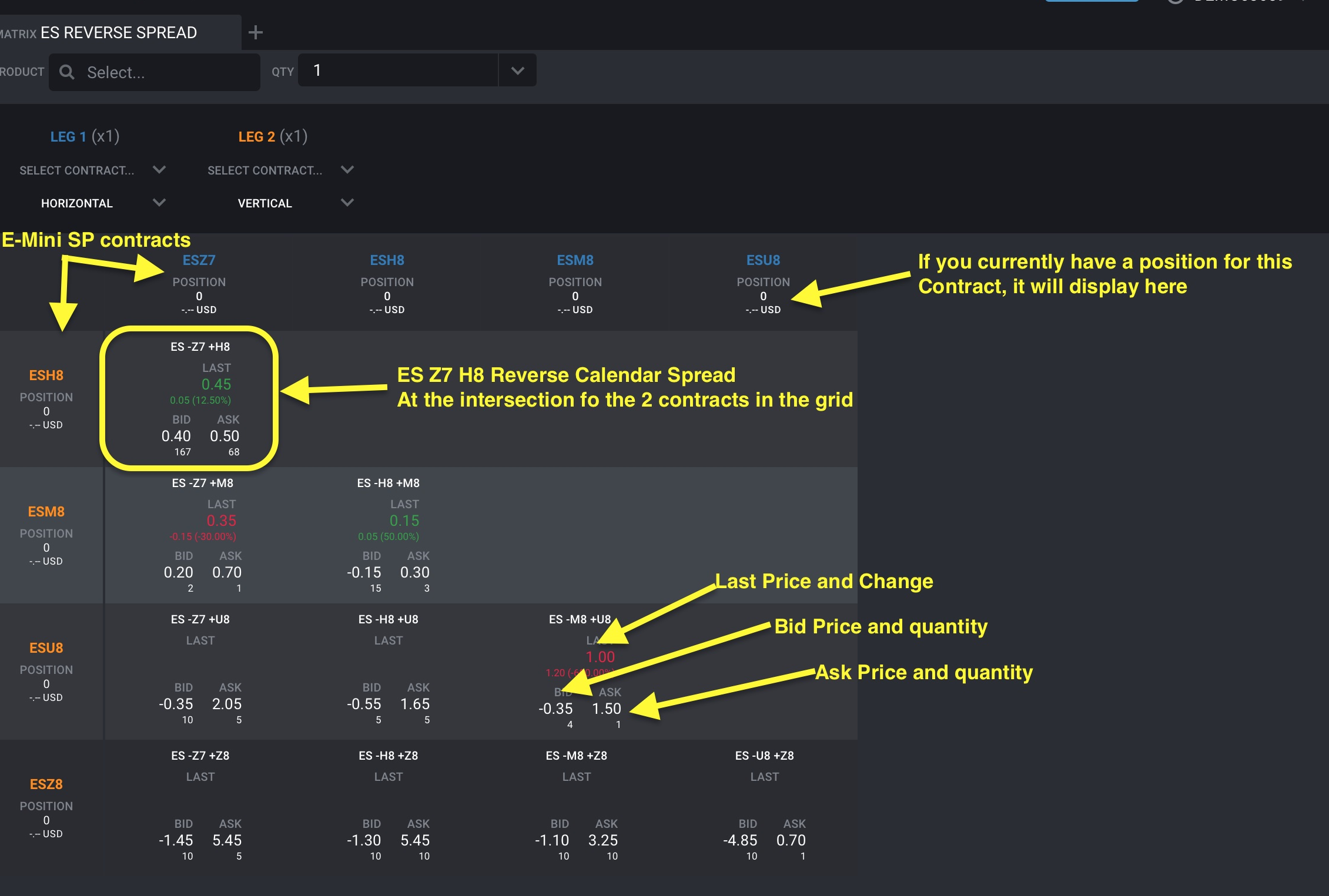
The Matrix builds the combinations by placing contracts on the vertical and horizontal axis and showing the spreads at the intersections. With this in mind, you also have the option to specify if you would like Leg 1 or 2 in the vertical or horizontal axis
For this example, we show all the different combinations available, so, we will not select any specific contracts for either leg and simply put Leg 1 in the Horizontal axis and Leg 2 in the Vertical axis. In doing so, the underlying grid will populate with contracts in the horizontal and vertical axis and show the spread products that are listed at the intersecting point
Hovering over different areas of the spread contract will display functions while hovering over the spread cell will show Buy Mkt and Sell Mkt buttons
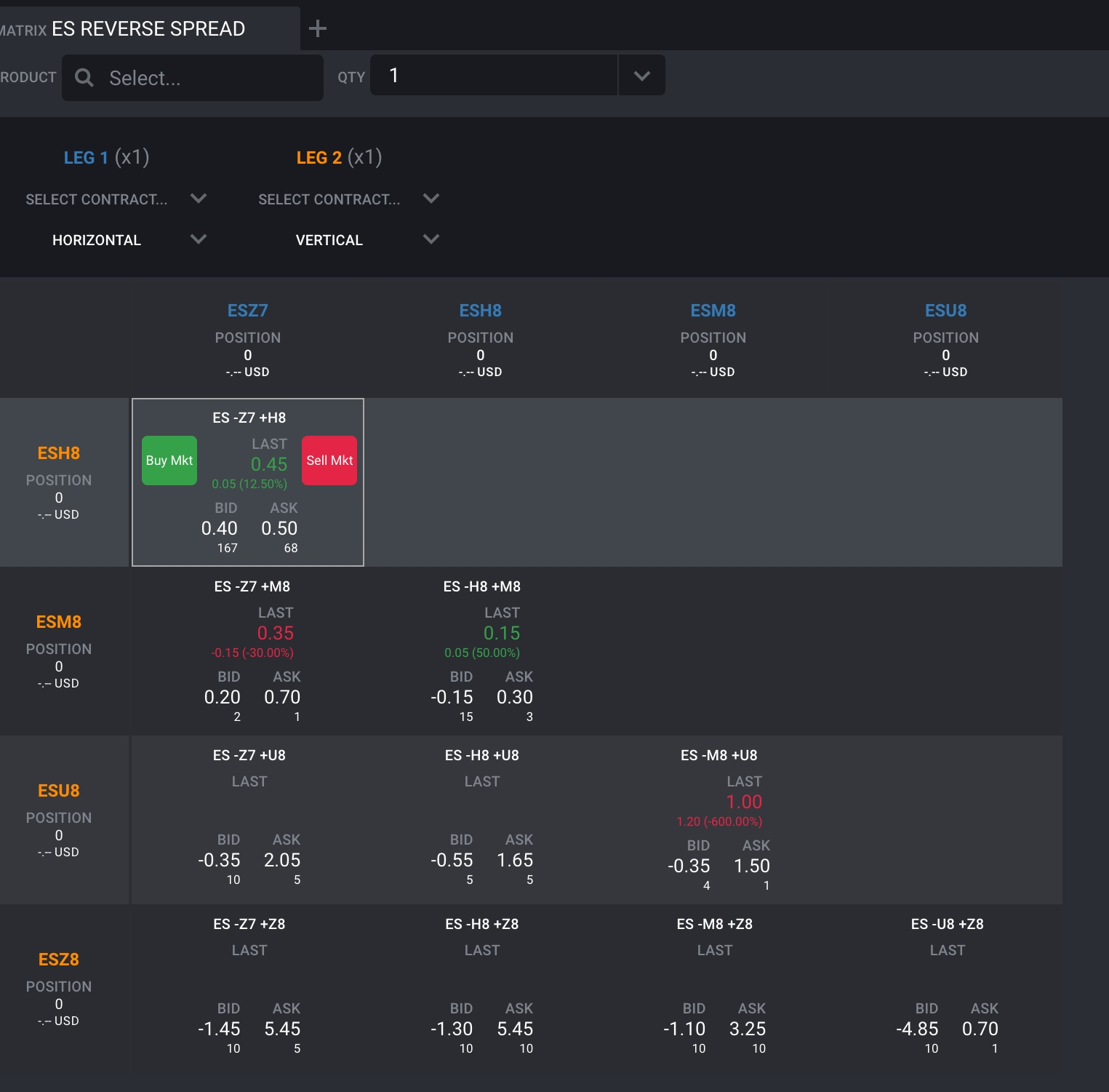
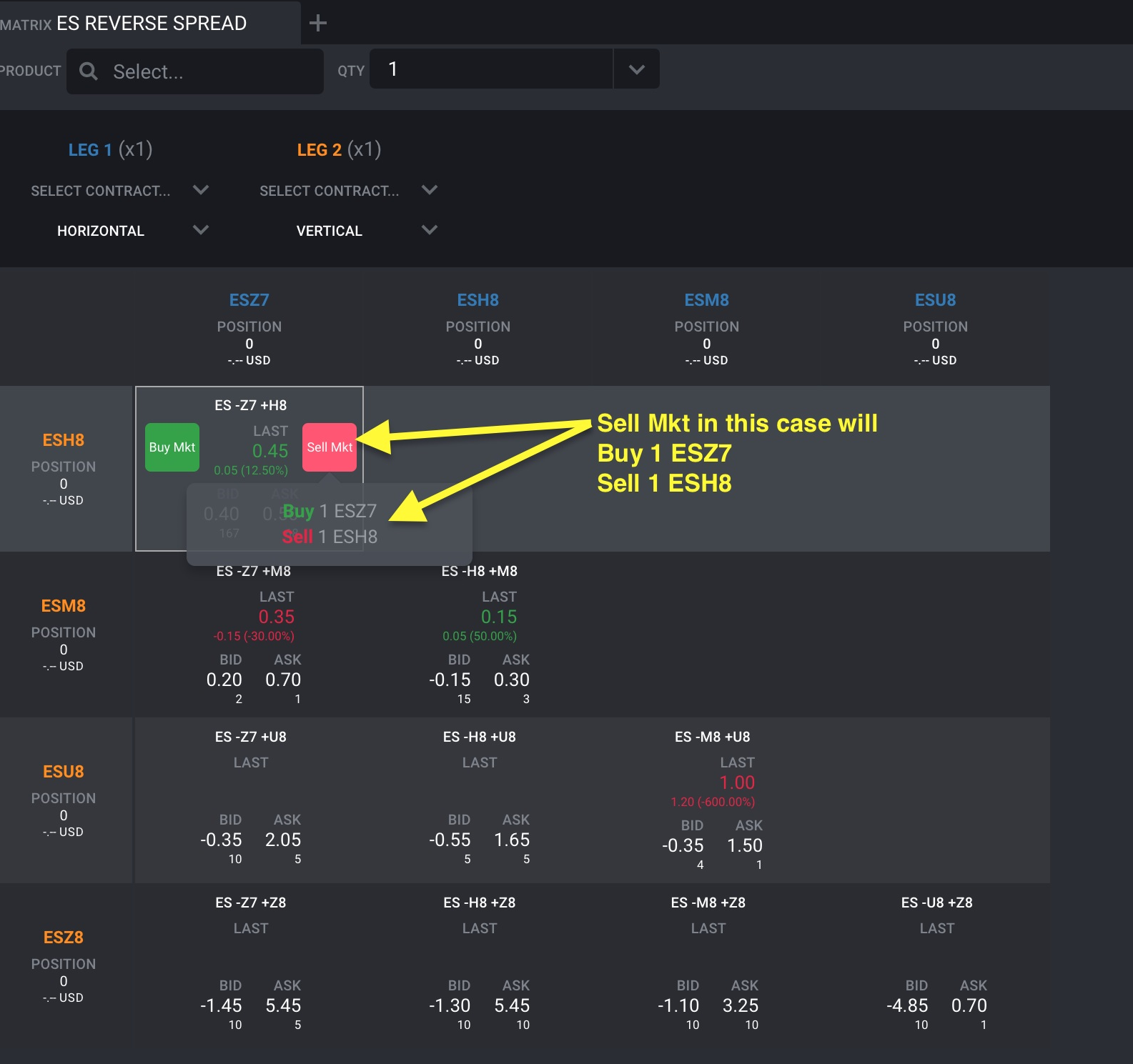
Hovering over the Buy Mkt and Sell Mkt buttons will display a tooltip showing what that action will do
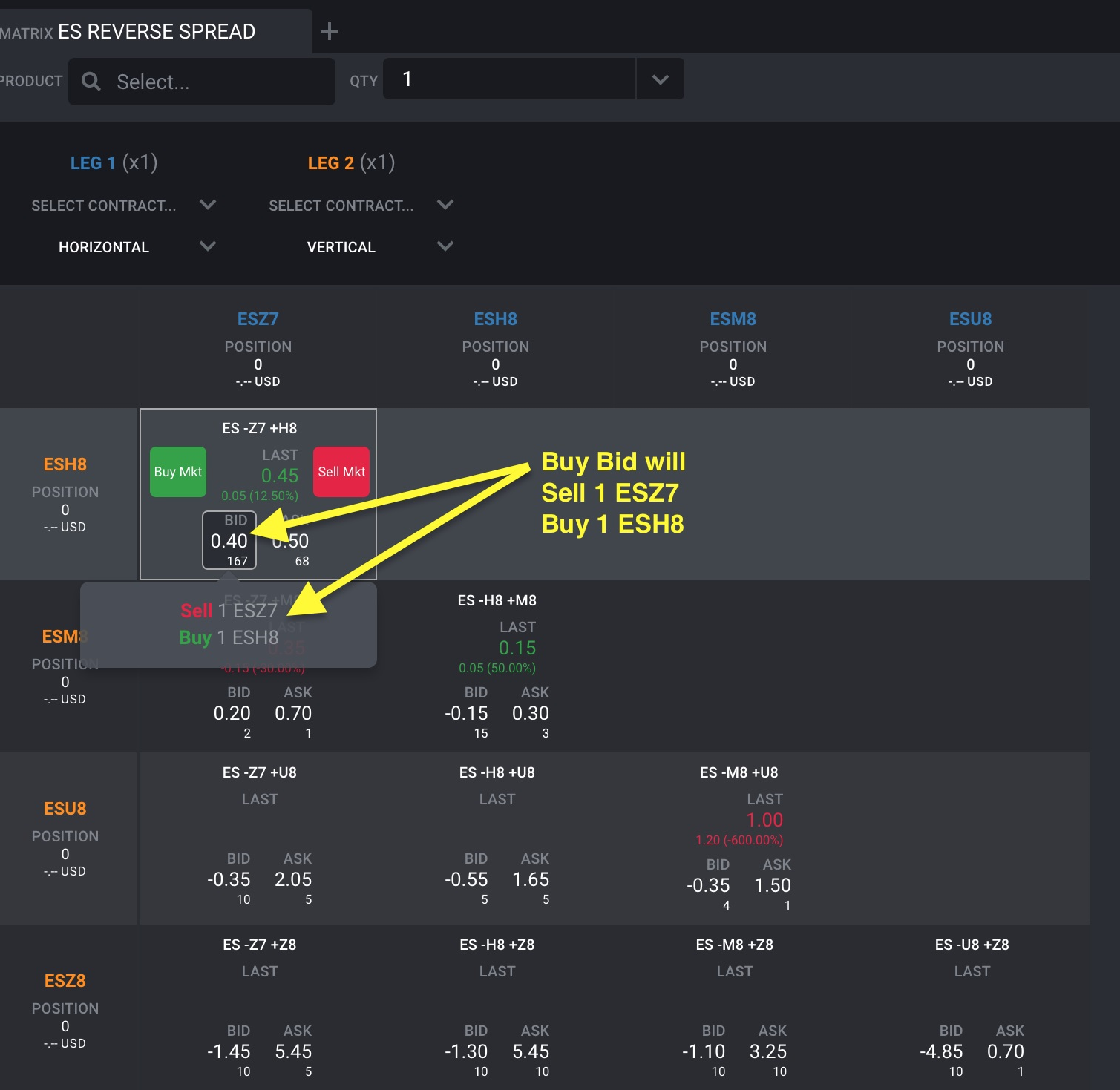
Hovering over the Bid or Ask buttons will display a tooltip showing what that action will do
When executing a trade for a spread, you will see an order for the spread contract and the separate legs' positions when you receive the fill
